Free for individuals
A stopped agent looks exactly like a thinking one.
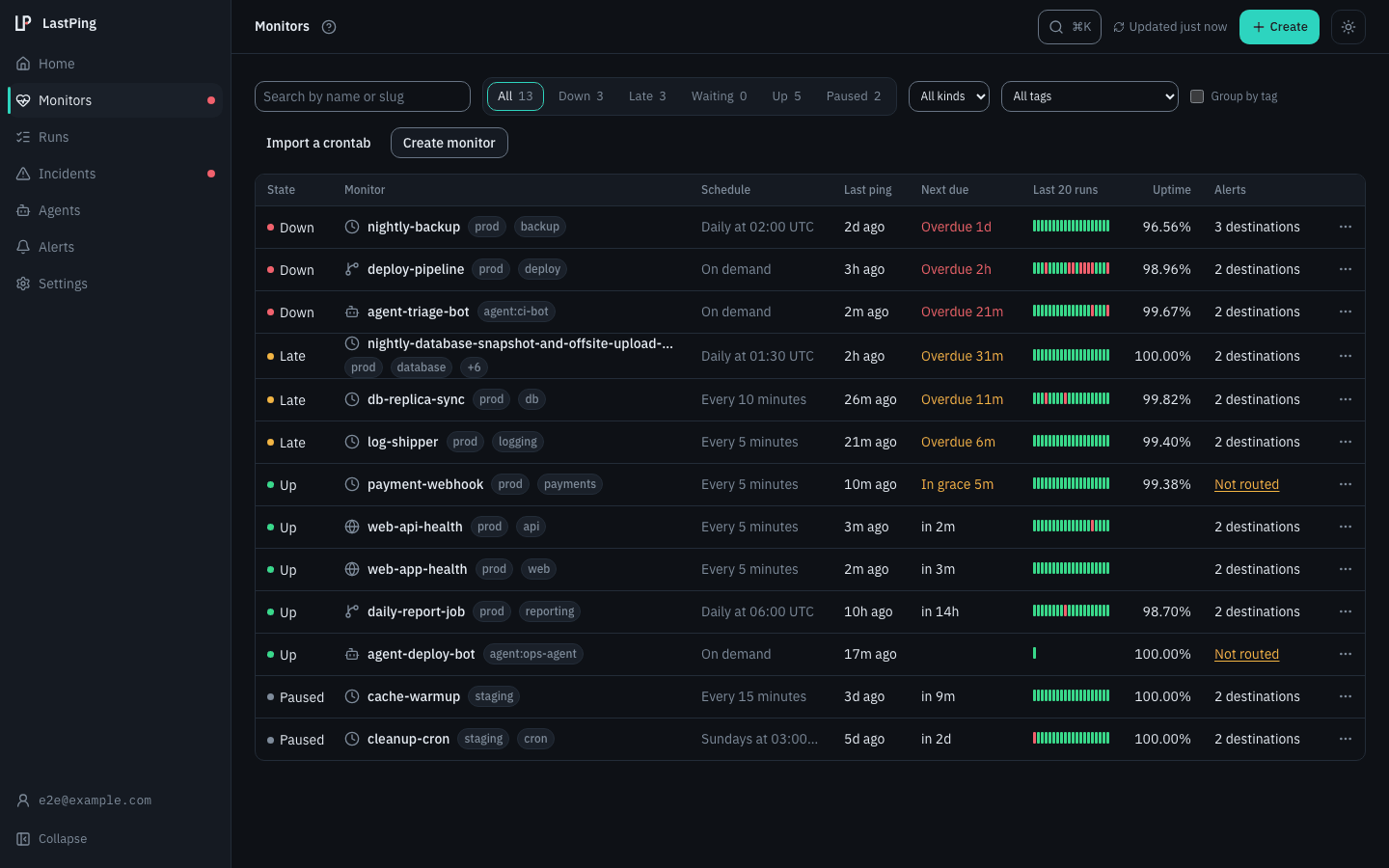
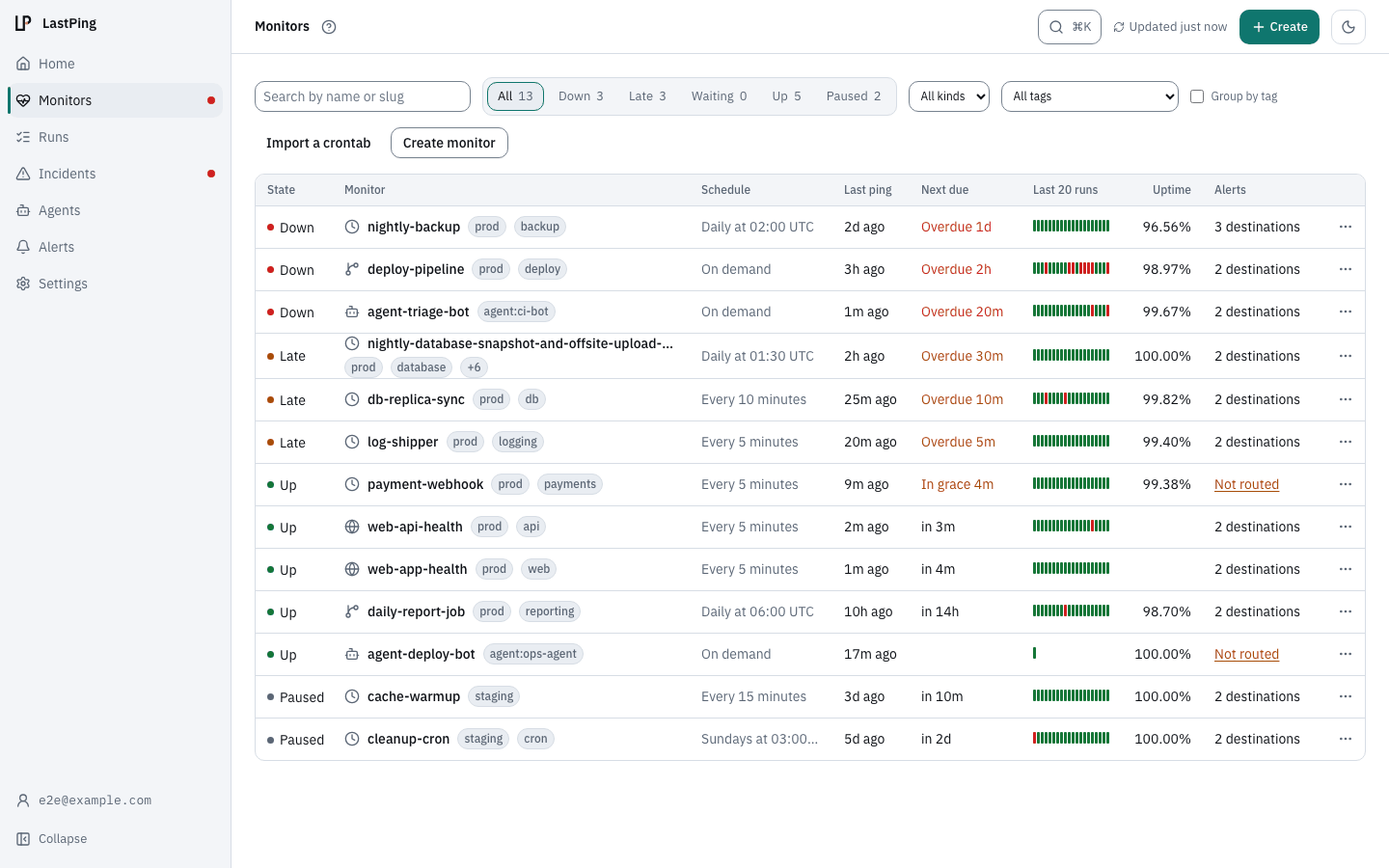
LastPing watches the agent run itself: started, progress, blocked, failed. The same engine covers cron jobs, backups and CI pipelines, and opens an incident the moment an expected signal doesn't arrive.
Set up with your AI assistant
npx skills add lastping-dev/skills- Ask:
Monitor this project with LastPing
Works with
No credit card required. How AI agent monitoring works
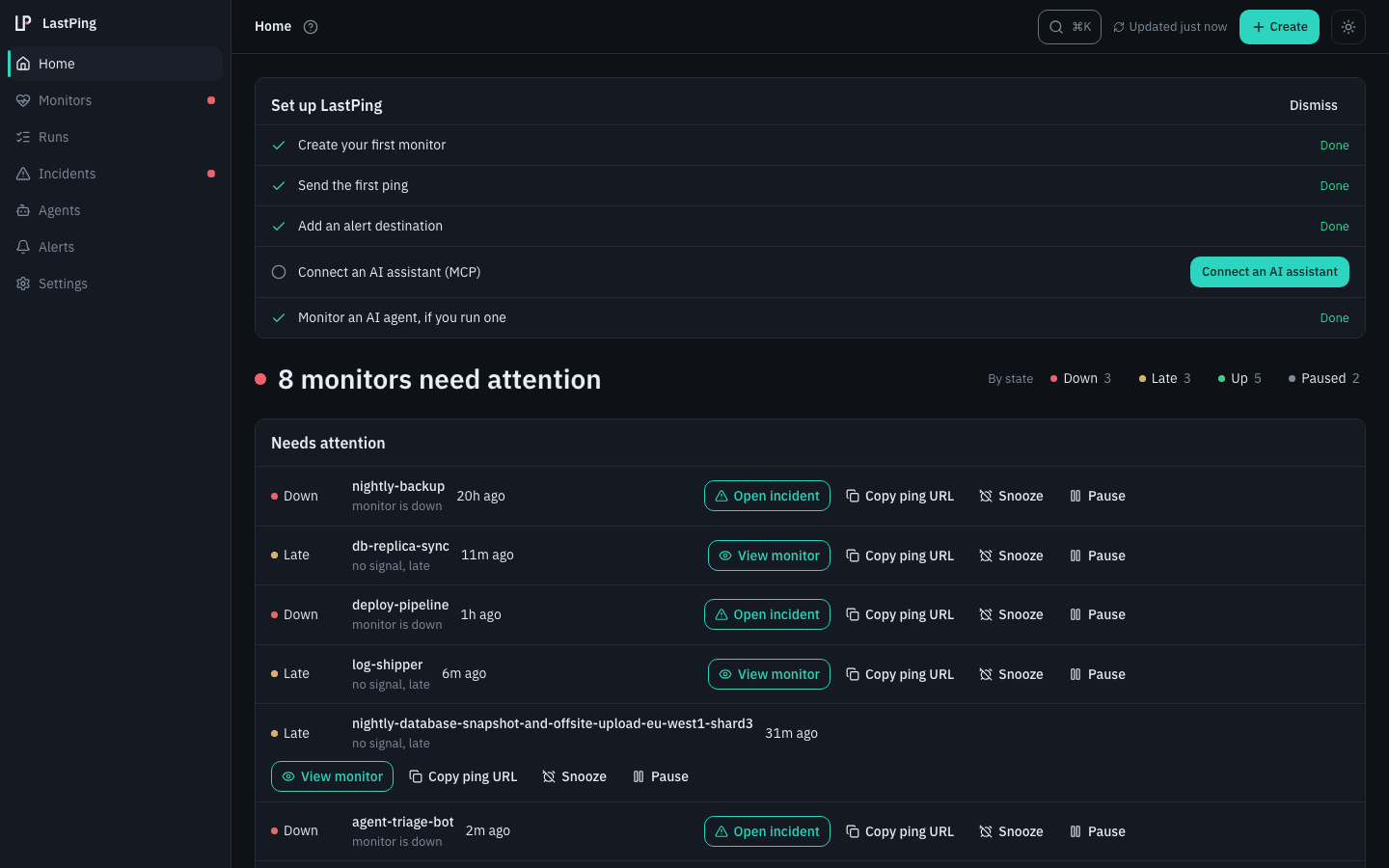
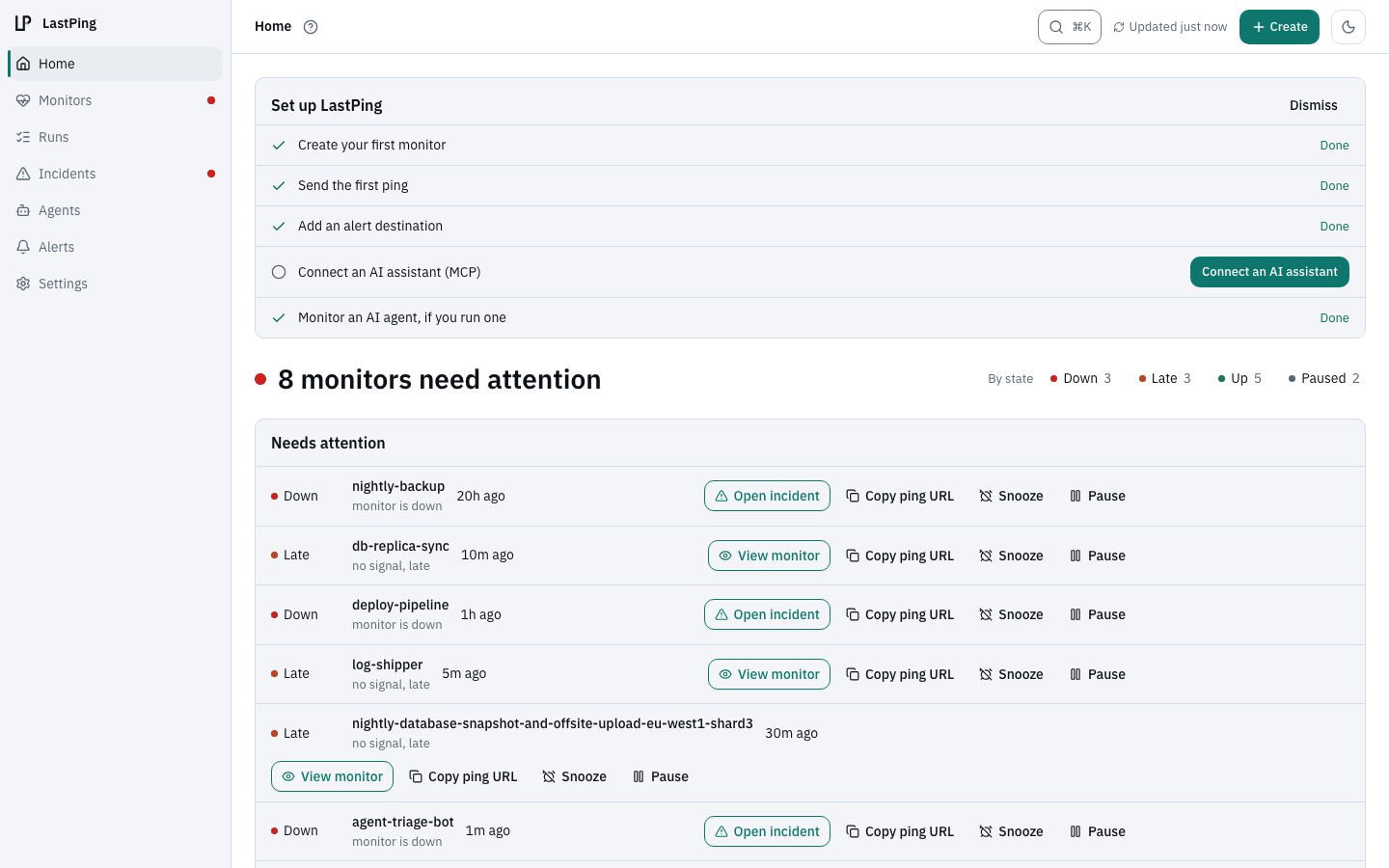
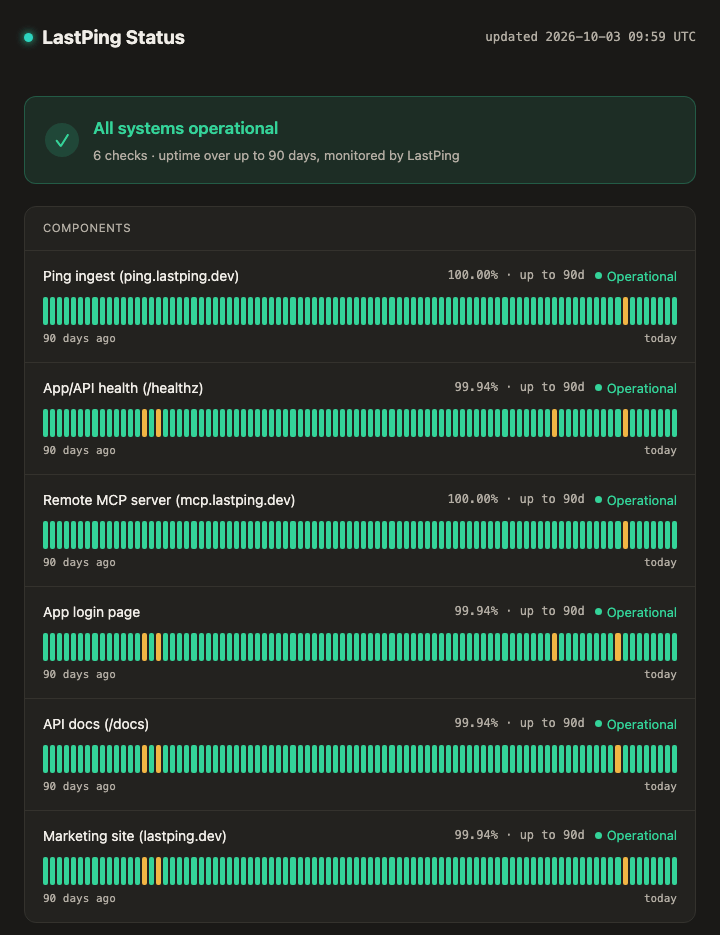
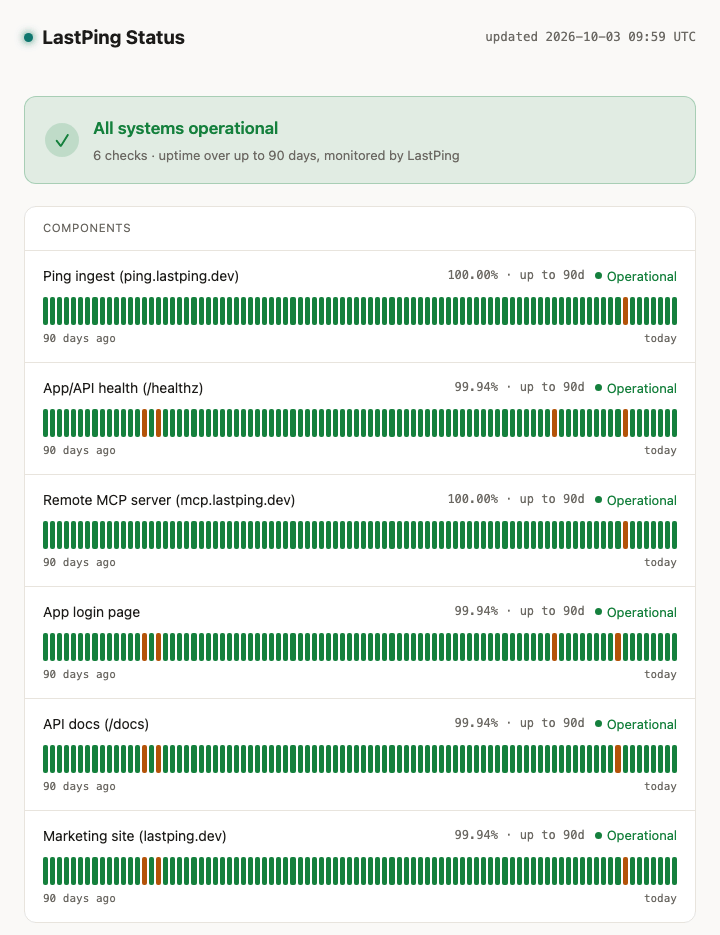
LastPing runs on LastPing.
Its own ping ingest, API, remote MCP server and login page are watched on a public status page anyone can open. Incidents stay visible.
- 3 monitor types
- 9 alert destinations
- 50 MCP tools
- Free, no monitor cap
LastPing in 23 seconds
Transcript
- Trace every agent run, down to the last token.
- Your agents set up their own monitoring. MCP, Terraform, or the API.
- When a run fails, LastPing opens the incident.
- And the next run reads what broke, and writes it back.
- LastPing. Free for individuals.
What LastPing covers
Cron and heartbeats
Your job curls one URL when it finishes. Miss the window, get an incident.
CI/CD
One signed webhook from GitHub Actions, GitLab CI or Jenkins, no YAML changes. Catches runs that fail, hang or never start.
AI agents, on heartbeats
Started, progress, blocked, failed: a run says where it is.
HTTP uptime
Status code, latency and keyword checks on a schedule.
Agent runs
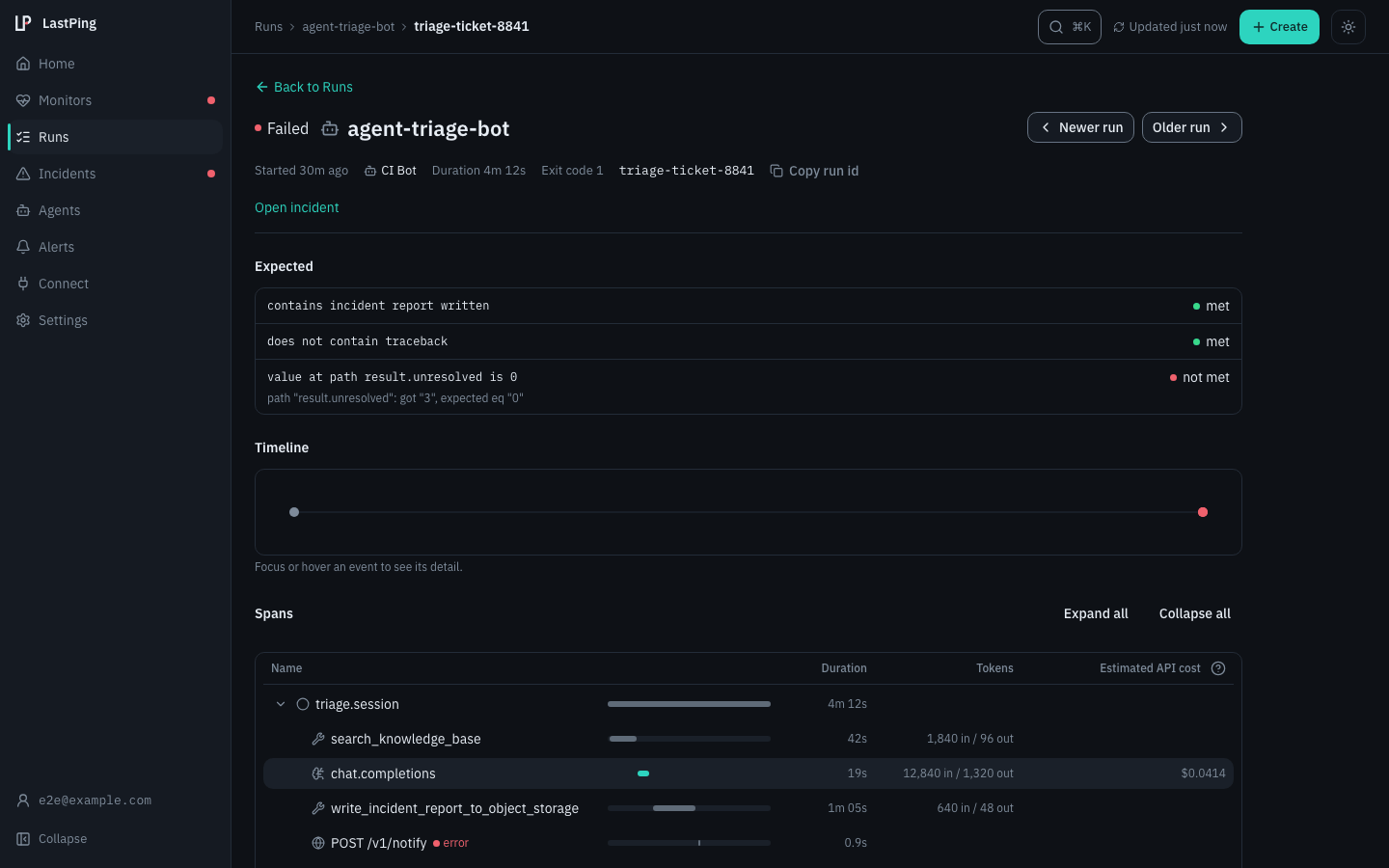
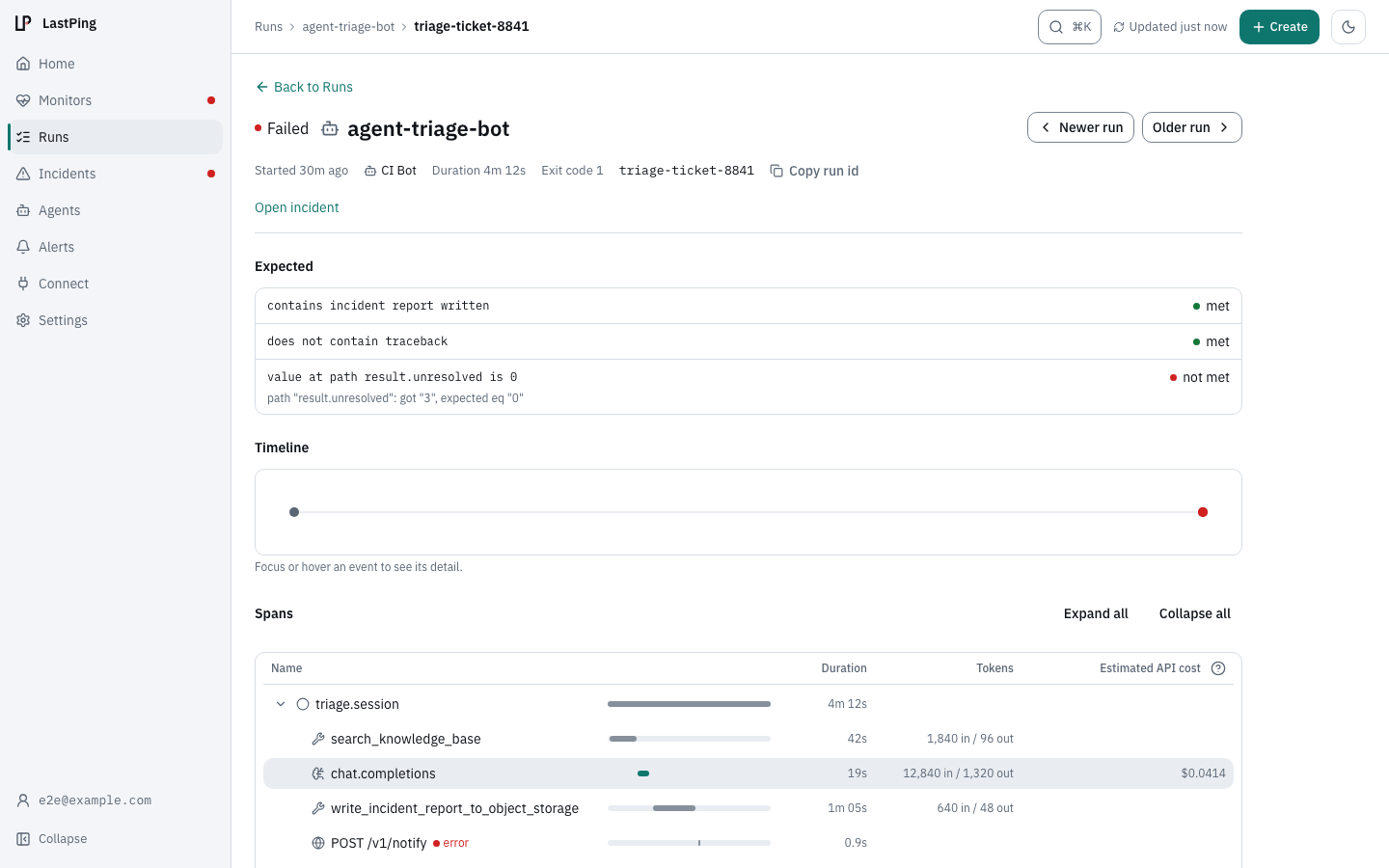
One run is one task. An agent reports start when it picks one up, and success or fail when it reports back.
blocked: it is waiting on you to approve, supply a credential or decide./stepcatches a long run that stopped making progress, and names the step.- Traced runs show spans, tokens and estimated cost.
Your assistant sets it up
Add the LastPing skill with npx skills add lastping-dev/skills and ask your assistant to monitor the project, or connect your MCP client to mcp.lastping.dev. Your assistant creates the monitor, wires the ping and reads the incident.
- 50 MCP tools on a hosted server.
- A Terraform provider for monitoring as code.
- A REST API with an OpenAPI document.
One request per moment that matters.
No SDK, no agent process, no library to keep up to date. Anything that can make an HTTP request can report.
- Durable deadlines in the database: a restart never misses a due check.
- One incident, not a storm: flap damping holds a blip.
- The incident closes by itself when the job checks back in.
curl -fsS https://ping.lastping.dev/<id>/start?rid=$RID   # picked up a task
curl -fsS https://ping.lastping.dev/<id>?rid=$RID         # finished it
curl -fsS -d "$ERR" https://ping.lastping.dev/<id>/fail?rid=$RID
curl -fsS -d "needs approval" https://ping.lastping.dev/<id>/blocked?rid=$RID
import requests
PING = "https://ping.lastping.dev/<id>"
try:
main()
except Exception as exc:
requests.post(f"{PING}/fail", data=str(exc)[:10000], timeout=10)
raise
else:
requests.get(PING, timeout=10)# last step of a scheduled workflow
# (the signed webhook also catches hung runs and schedules GitHub disables)
- name: Ping LastPing
if: success()
run: curl -fsS -m 10 --retry 3 https://ping.lastping.dev/<id>Works with what you run
Schedulers and platforms
CI
Orchestrators
Agent frameworks
How LastPing compares
- vs Better StackHeartbeats as an add-on to a generalist uptime suite.
- vs CronitorIts free tier caps at 5 monitors; pipeline monitoring is paid.
- vs Dead Man's Snitch1 free snitch, and failure details are paywalled.
- vs Healthchecks.ioExcellent for cron jobs; LastPing also monitors CI/CD pipelines.
- vs HyperpingStrong on uptime and on-call, but no CI/CD pipeline monitoring.
- vs OpsgenieReaches end of life on 5 April 2027: a migration guide.
- vs Sentry CronsRequires a Sentry account and charges per monitor.
- vs Uptime KumaExcellent, but you manage the server, updates and backups.
Questions engineers ask
What is LastPing?
LastPing is a dead-man's-switch monitor for scheduled jobs, CI/CD pipelines, and HTTP endpoints. Instead of actively pinging your services, it waits for them to check in. If a job goes silent (a cron that never ran, a CI pipeline that hung, a long job that stopped making progress mid-way, an endpoint that stopped responding), LastPing opens an incident and alerts you before your users notice.
Is LastPing free?
Yes. LastPing is free for individuals at app.lastping.dev, with no monitor cap and no feature gate. Sign up with Google, GitHub or email and start monitoring immediately. Everything runs on our infrastructure; no setup required. Follow the project at github.com/tp322d/lastping-app.
How do I get alerted when a job goes down?
Alerts fire automatically on the very first check you create. LastPing emails the account owner by default, with no routing to configure. You can add Slack, Discord, Telegram, ntfy, Pushover, Microsoft Teams, Google Chat or a signed outbound webhook and choose which events reach which channel per check.
Does LastPing support CI/CD pipelines and HTTP uptime?
Yes. LastPing supports three monitor types: heartbeat (cron/scheduled jobs that ping when they finish), CI/CD signals (signed webhooks from GitHub Actions, GitLab CI, Jenkins, zero YAML, deep-link to the run on alert), and HTTP/uptime probing (LastPing polls your URL on a schedule for status code, latency, and keyword presence).
Can LastPing monitor GitHub Actions workflows?
Yes. Point one signed webhook at LastPing from your repository settings, ticking both the Workflow runs (workflow_run) and Workflow jobs (workflow_job) events, with zero changes to your workflow YAML. LastPing alerts when a run fails, hangs, or never starts (including scheduled workflows GitHub disables after 60 days of inactivity in a public repo, without notifying anyone when it happens), deep-links to the run, and can attach the failure log excerpt to the incident. Setup guide: lastping.dev/monitor/github-actions/
How is LastPing different from Healthchecks.io?
Healthchecks.io is an excellent heartbeat monitor for cron jobs. LastPing covers cron jobs the same way (your job curls a ping URL) and additionally treats CI/CD pipelines as first-class monitors: one signed webhook from GitHub Actions, GitLab CI, or Jenkins, no curl step in every workflow, catching runs that fail, hang, or never start, with failure detail on the incident. LastPing is free for individuals with no monitor cap. Full comparison: lastping.dev/vs/healthchecks/
Where can I follow LastPing development?
Follow the project on GitHub at github.com/tp322d/lastping-app. That is where the open-source pieces live (the lastping CLI and the MCP server), and where issues can be filed. The hosted service at app.lastping.dev is free for individuals. See the project page for more.
What alert channels does LastPing support?
LastPing delivers alerts by email, Slack, Discord, Telegram, signed outbound webhooks, ntfy, Pushover, Microsoft Teams and Google Chat. Email channels use confirmed opt-in, and delivery is SSRF-guarded so alerts can never reach internal or cloud-metadata addresses.
How does LastPing prevent false alarms from flapping checks?
LastPing damps flapping: if a check goes down and recovers within a short window, the alert is held and cancelled on recovery so a single blip does not page you. Per-channel rate caps back this up, and duplicate notifications for the same incident are suppressed within a minimum interval.
Start monitoring in minutes
Free for individuals. One URL to ping, or let your AI assistant set it up.